Event Ticketing Platform
Laravel project
Tickety
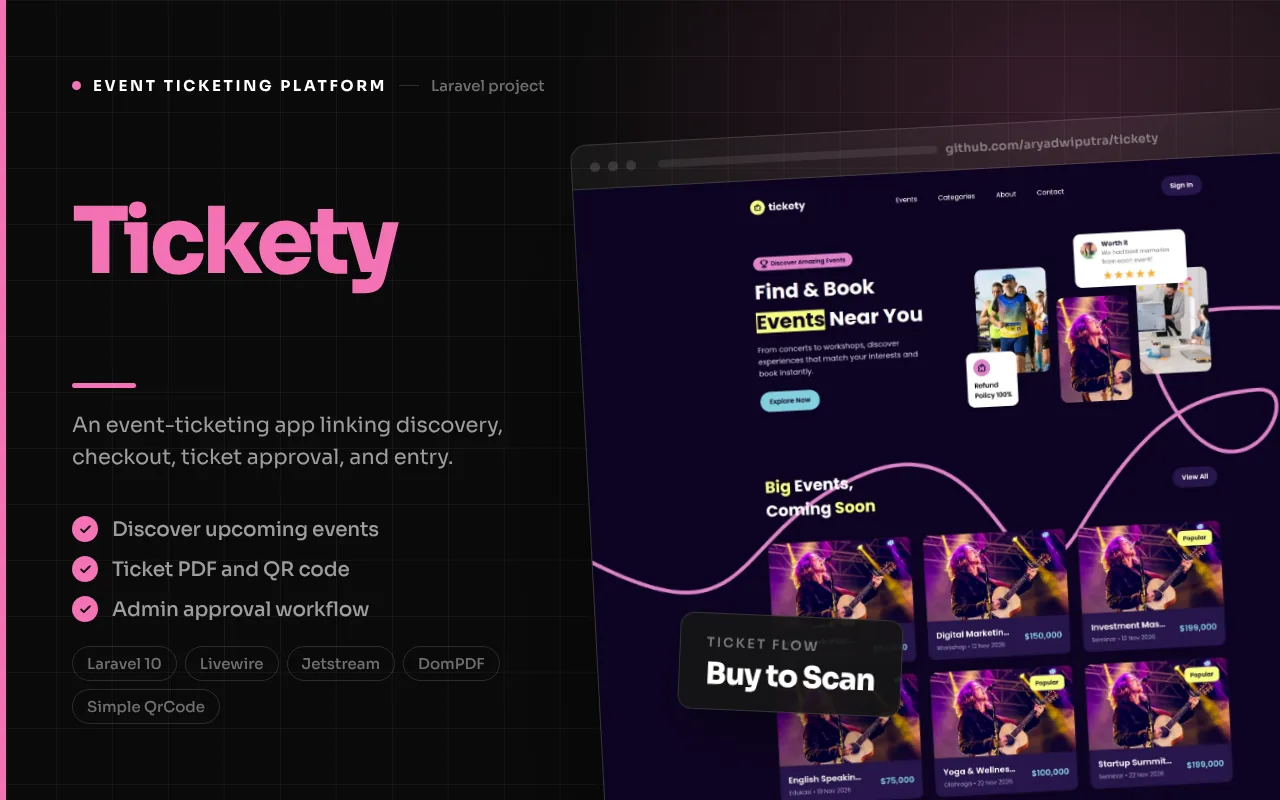
An event-ticketing application for discovering events, selecting tickets, submitting a manual-transfer checkout, and managing ticket approval and scanning workflows.
Product overview
How the product fits together
Tickety is an event-ticketing application that connects event discovery with ticket selection, buyer details, payment review, transaction approval, and ticket redemption. Its source contains a public event listing and event-detail experience, an authenticated dashboard, administration routes for events and tickets, transaction approval, PDF ticket generation, and an event scanning interface. The case-study screenshots below are captures of the running application after its event imagery loaded, with buyer and administrator screens captured in their respective authenticated states.
The core transaction flow starts when a visitor selects ticket quantities for an event. The event controller filters positive quantities, calculates a subtotal, adds a 22-percent tax and a random unique amount, then stores the selection in the session. At checkout, the buyer submits name, email, and a payment method; the inspected controller accepts manual transfer, creates a pending transaction and ticket detail codes, and displays a success page. An administrator can approve a transaction, which marks it successful and sends the ticket PDF by email. A scanner UI can submit a ticket code to mark it redeemed.
This description stays close to the code and includes limitations that materially affect what the system can promise. Checkout displays multiple payment choices although the controller accepts only manual transfer. The scan API route is not explicitly protected by Sanctum, and the schema and controller differ in spelling for the redemption flag. The repository has no project-specific product documentation or confirmed live demo URL. These are source-inspection caveats, not runtime-tested vulnerability claims.
The workflow
1
Discover an upcoming event
The home controller loads upcoming events and categories, with query parameters for category selection or viewing all items. Event records have categories, ticket relationships, date/location/description fields, and accessors for a lowest ticket price and thumbnail. The visitor can open a detail page to inspect the event and its ticket options.
2
Choose ticket quantities
The event-detail page presents available ticket types and quantity controls. The browser interface calculates a total for the selected quantities, and the controller receives the selection, removes non-positive quantities, computes a subtotal, tax, and unique amount, then stores the resulting checkout data in the session. Client-side quantity controls are not equivalent to server-side inventory validation.
3
Enter buyer details and submit payment method
The checkout screen collects buyer name and email, summarizes tickets, tax, unique amount, and total, then displays payment choices. In the inspected controller, only manual transfer passes validation; the other displayed methods should not be represented as active. The submitted values are passed through hidden inputs populated by JavaScript in the view.
4
Create a pending transaction and ticket codes
The event controller creates a pending transaction and associated ticket detail records, each with a unique ticket code. It redirects to a success view that tells the buyer ticket details will arrive by email. The source does not visibly wrap the sequence in a database transaction, and the quantity-to-ticket-detail creation should be checked for cases where a ticket quantity exceeds one.
5
Approve a transaction and deliver a PDF
An administrator views transactions for an event and can approve one. The approval action marks the transaction successful and synchronously emails a PDF attachment generated from the transaction’s ticket details. The admin can also stream a ticket PDF. Email delivery therefore depends on mail configuration and successful PDF generation; no live delivery was exercised.
6
Scan a ticket at entry
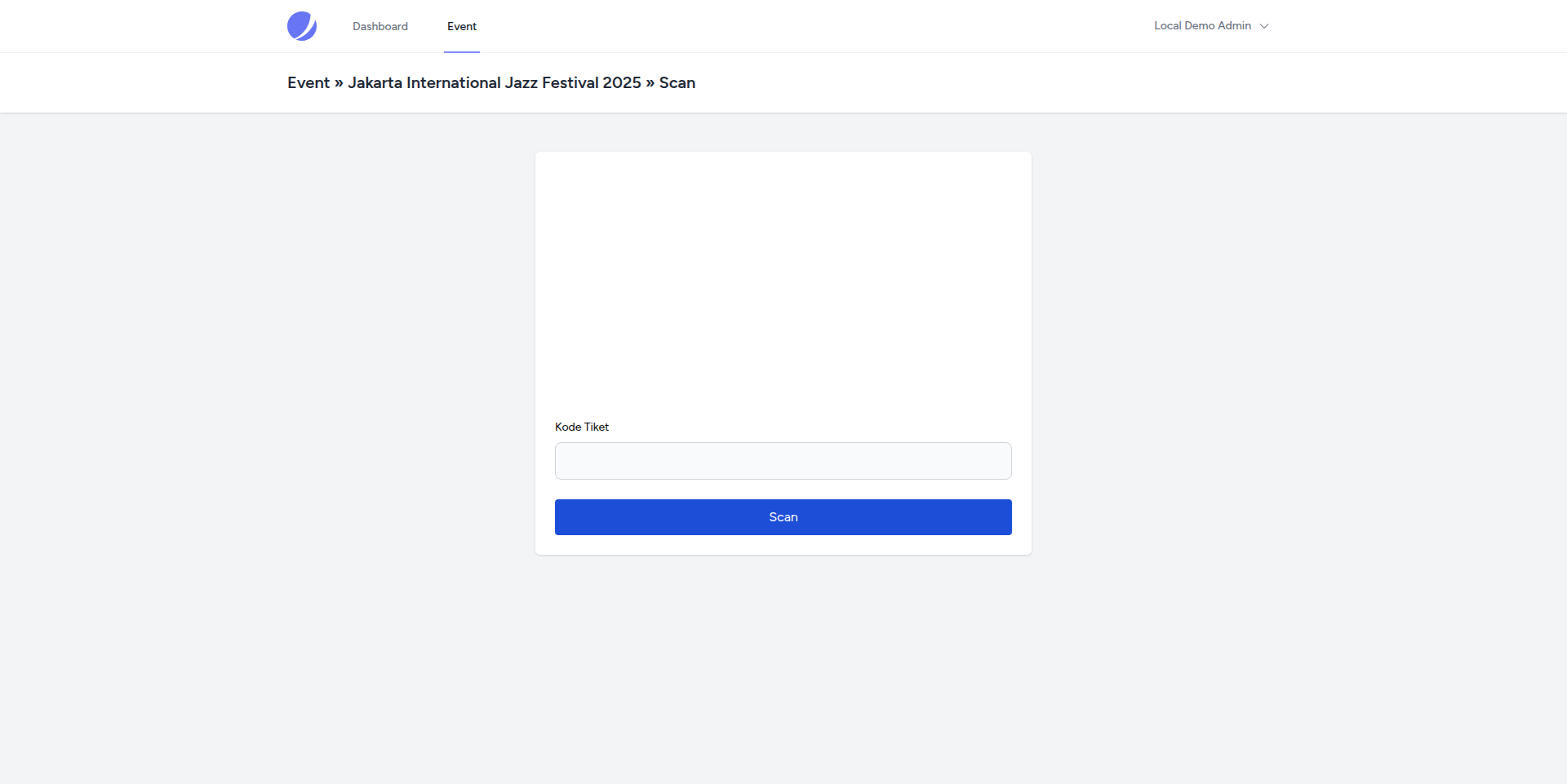
An admin-facing scan page loads a QR reader, decodes a code, and calls an API endpoint that looks up the ticket detail and sets a redeemed flag. The scanning concept is supported by the UI and controller, but the route is missing explicit API authentication and the database column uses a different spelling than the controller. Those are important follow-up items before relying on the scan state for admission control.
Features, with interface evidence
The following screenshots are from the project’s documented interface areas. They illustrate the related modules; integrations and optional workflows may require configuration.
Feature 1
Event discovery and detail pages
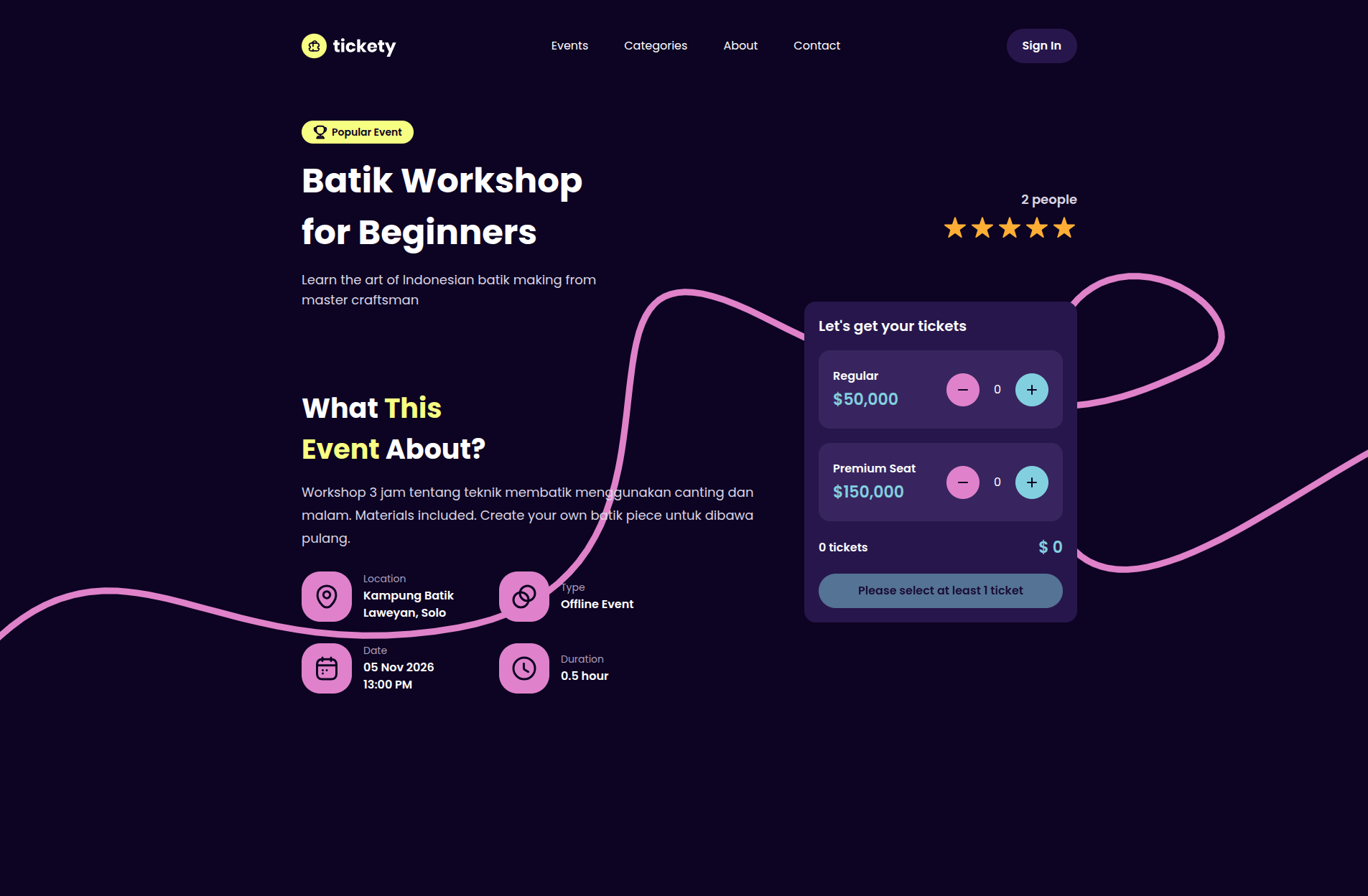
The public home page loads events and categories, presenting an entry point for upcoming activities. It supports category filtering and an all-events query. Each event belongs to a category and has ticket records; the model also provides a lowest-ticket-price accessor and a thumbnail fallback. The detail page presents headline and event information, a photo gallery, description, location, event type, date, duration, and ticket selection controls.
The feature evidence below uses screenshots captured from the running Tickety application after confirming that its event imagery loaded within the page. The captures show the rendered event-discovery and detail interfaces, rather than substituting the standalone event files for application screens. They document the local seeded app, not current event availability in a public service.
- Upcoming event listing with category filtering.
- Event detail with gallery, date, location, type, and description.
- Ticket options associated with each event.
Feature 2
Ticket types and quantity selection
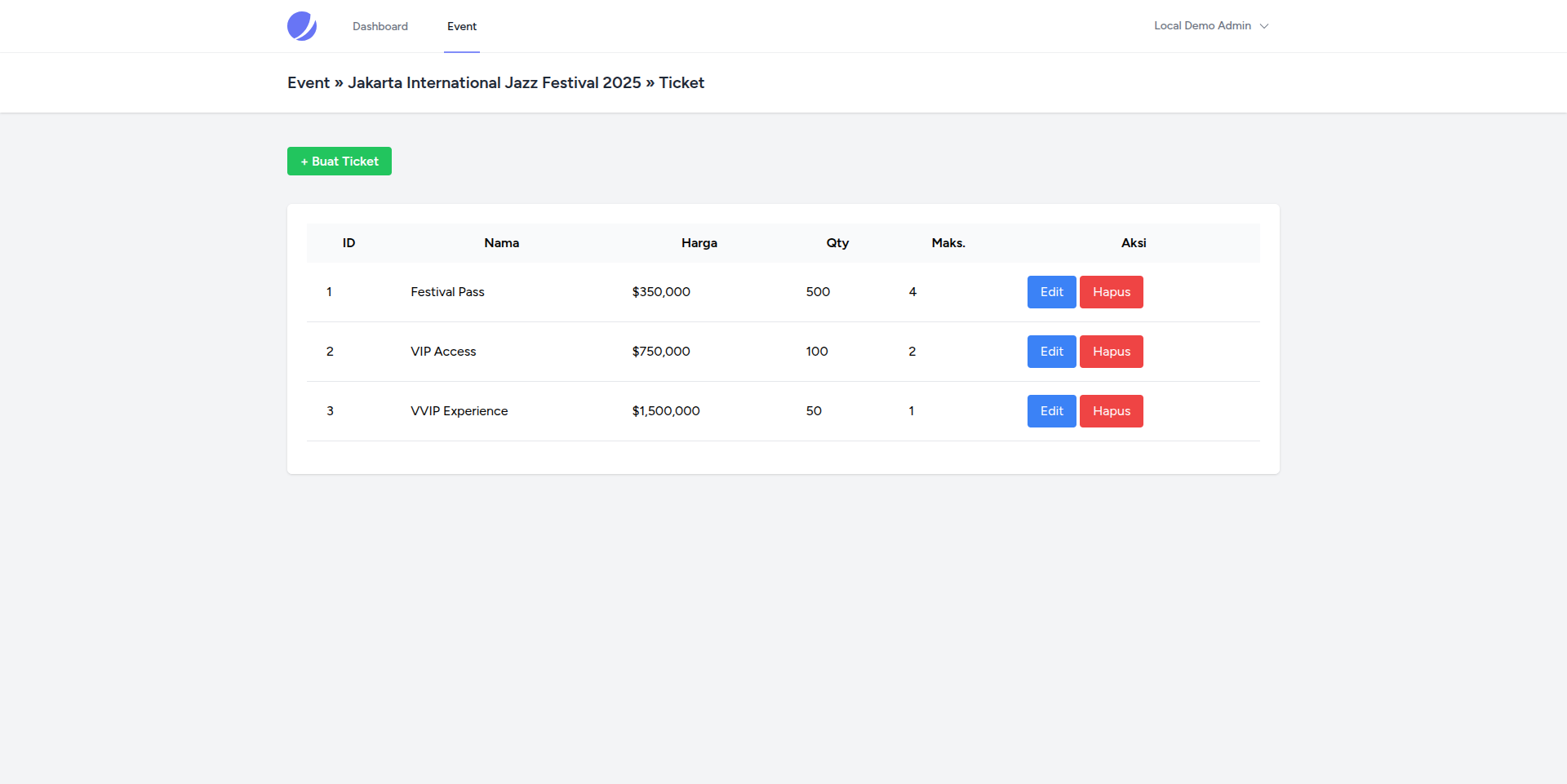
Administrators can create ticket records associated with an event and edit or delete them. On the public detail page, visitors can select quantities for the ticket options presented. The controller filters out non-positive quantities, computes a subtotal, applies 22-percent tax, and adds a random unique amount before saving the selection in the session for checkout. This makes the selected event and ticket breakdown available to the next step without requiring the visitor to rebuild the order.
The source relies on browser-side quantity controls for the visible constraints, while the checkout controller does not show a proper server-side check for inventory availability or a maximum purchase count. The random unique amount is also a calculated payment aid, not a provider-confirmed transaction amount. Describing these details keeps the page accurate about the implemented order flow and its limits.
- Event-specific ticket types managed in the admin area.
- Quantity selection and a session-backed checkout summary.
- Subtotal, tax, and unique amount calculation in the event controller.
Feature 3
Checkout and manual-transfer transaction
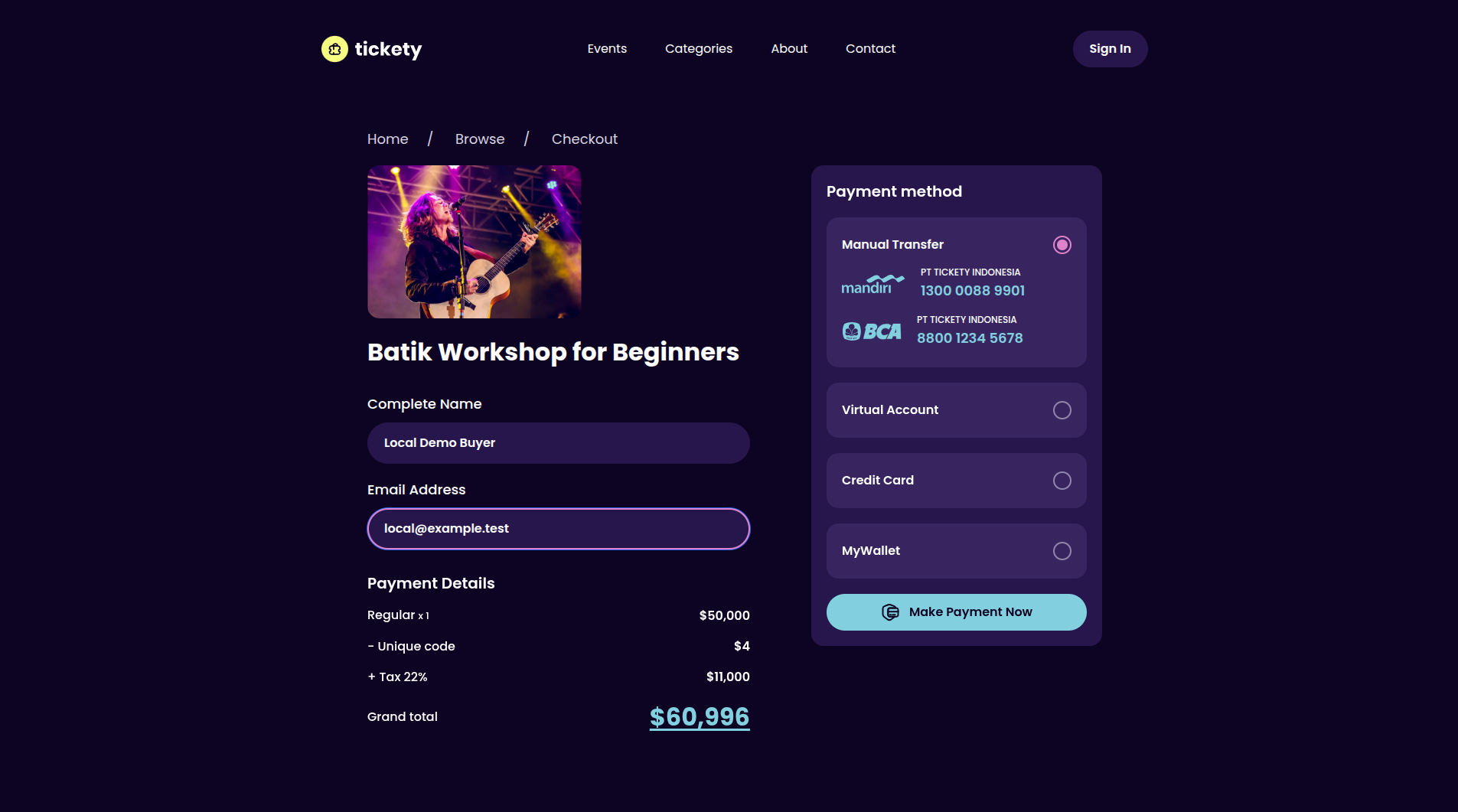
The checkout view asks for buyer name and email, summarizes selected tickets and the calculated total, and displays payment method choices. In the controller, the accepted method is manual transfer, despite additional choices shown in the page. On submission, the application creates a pending transaction and generates ticket detail records with unique codes. It then routes the buyer to a success message that says ticket information will be delivered by email.
This distinction is central to the product description: the source contains a ticket checkout, but not all of the payment methods displayed in the interface are implemented by the backend. The inspected flow also copies visible buyer details into hidden fields using JavaScript, and it does not visibly wrap transaction plus detail creation in a database transaction. A production-ready checkout should validate selected quantities and payment methods server-side and ensure ticket counts and transaction data remain consistent.
- Buyer name and email collection.
- Manual-transfer method accepted in inspected server validation.
- Pending transaction and ticket-code records created on checkout.
Feature 4
Approval and PDF ticket delivery
The transaction administration page lists ticket details and conditionally exposes actions for pending items. Approval updates a transaction to successful and sends ticket information through a mailable. The mail class creates a PDF attachment named `ticket.pdf`, and the PDF view renders ticket details with event information, code, and a QR image. An administrator can also stream a PDF from the transaction controller.
This creates a clear operator step between a pending manual-transfer transaction and a successful ticket delivery. Email configuration and PDF rendering are external runtime requirements; they were not tested during repository inspection. The source also does not visibly verify pending status or event-transaction association before approval, so those checks should be considered part of the system’s hardening work.
- Admin transaction review and approval action.
- PDF ticket output with event data, ticket code, and QR image.
- Email attachment generated by the ticket mailable.
Feature 5
QR ticket scanning and redemption
The admin scanning page loads a QR reader and submits the decoded ticket code to an API endpoint. The controller looks up the transaction detail, changes its redeemed flag, and returns a success response to the scanner UI. This supports the intended gate workflow: a ticket code can be checked at entry and marked used so the event team can record redemption.
The implementation requires follow-up before being relied upon operationally. The scan endpoint is defined in the API route file without an explicit Sanctum middleware declaration, even though the scanning page itself is inside the authenticated admin routes. The database column is spelled `is_reedemed`, while model/controller code uses `is_redeemed`, which may prevent persistence. The controller also does not visibly reject a ticket that has already been scanned or confirm event ownership. These code findings are a reason to call this an included scan workflow, not a verified secure admission system.
- QR reader UI for decoding ticket codes.
- API action intended to mark a ticket detail redeemed.
- Authentication, persistence spelling, repeat-scan, and event-scope checks need review.
Feature 6
Event administration and technology
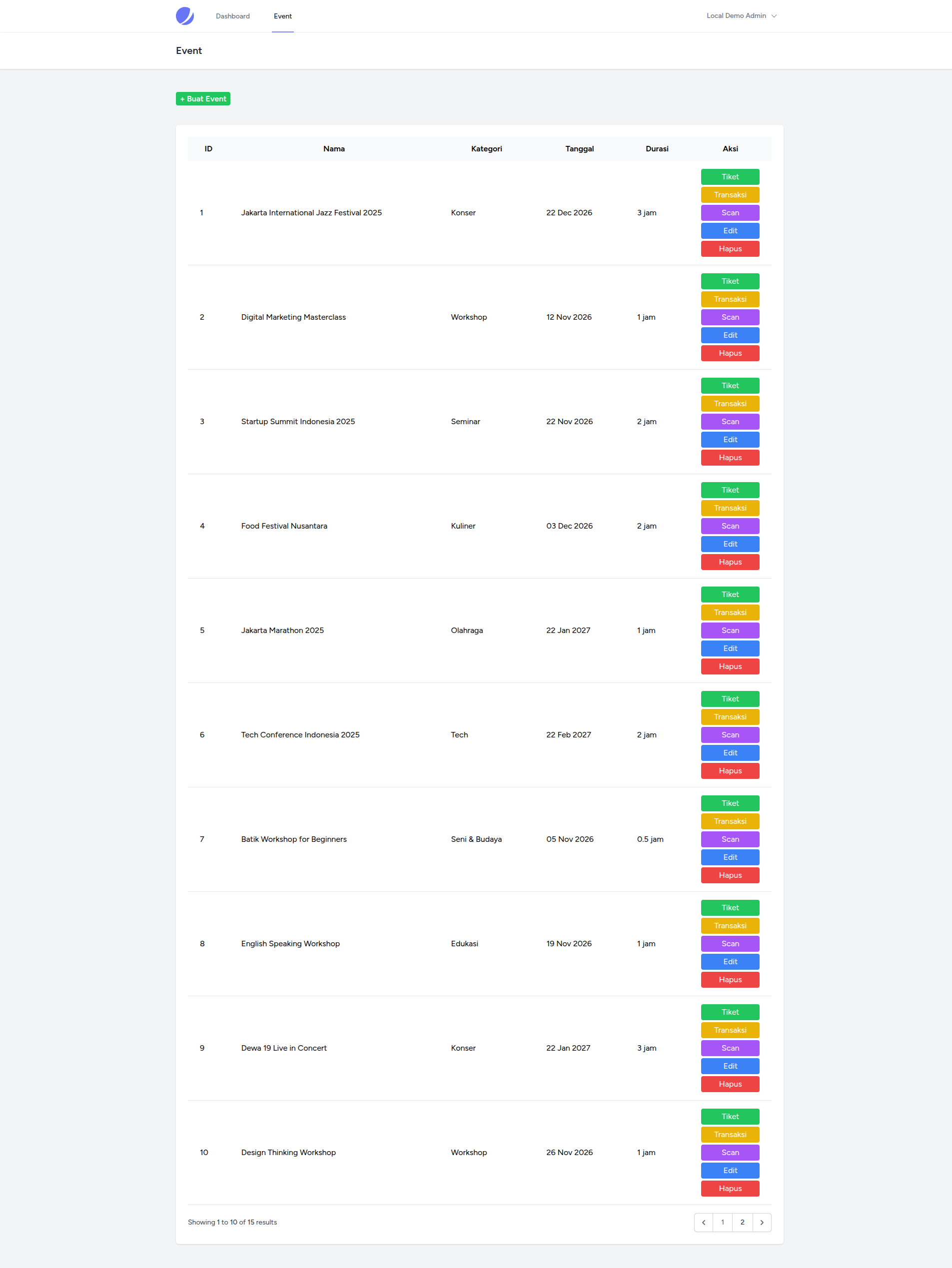
The administration routes include event, ticket, and transaction areas under authenticated and verified-user middleware. Event forms support event data and uploaded photos; tickets are managed in relation to an event; transactions can be viewed and approved. The stack is Laravel 10 and PHP 8.1 with Jetstream, Sanctum, Livewire, Simple QrCode, DomPDF, and Tailwind/Vite tooling. External CDN-loaded QR-reading scripts and Flickity assets are also present in the views.
The source repository’s README is generic Laravel boilerplate and no product-specific demo URL was found. Composer metadata declares MIT, while the repository contains event-image assets whose individual provenance was not established. The portfolio’s screenshots are separate captures of the running application; the source images themselves are not used as substitutes for UI evidence here. Authenticated event and ticket administration screens are included; the transaction approval action was not triggered because it sends email.
- Laravel 10 / PHP 8.1 with Jetstream, Sanctum, and Livewire.
- DomPDF and QR-code packages used by ticket output.
- Event, ticket, and transaction management routes.
Tickety’s documented product path brings together public event discovery, event-specific ticket selection, manual-transfer checkout, transaction review, PDF ticket delivery, and a QR-scanning interface. The separation between the buyer steps and administrator approval gives the source a recognizable operational workflow beyond a static event catalogue. Event, ticket, transaction, and ticket-detail records provide the data model behind those screens.
The project uses Laravel 10, PHP 8.1, Jetstream, Livewire, Sanctum, DomPDF, and QR-code tooling. Screenshots show the running event detail, ticket management, buyer checkout and success, authenticated event administration, and scanner form; the transaction approval action was not triggered because it sends email. No project-specific README or public demo was found. Payment-choice mismatch, ticket quantity/record handling, scan-route protection, and redemption persistence are visible areas to review before production use. The case study names the included workflows without asserting that the current implementation is ready for high-volume event entry.