Online Examination System
Laravel project
Ujian Online
An online exam system with separate administrator and student workflows for authoring exams, assigning sessions, taking timed assessments, and reviewing results.
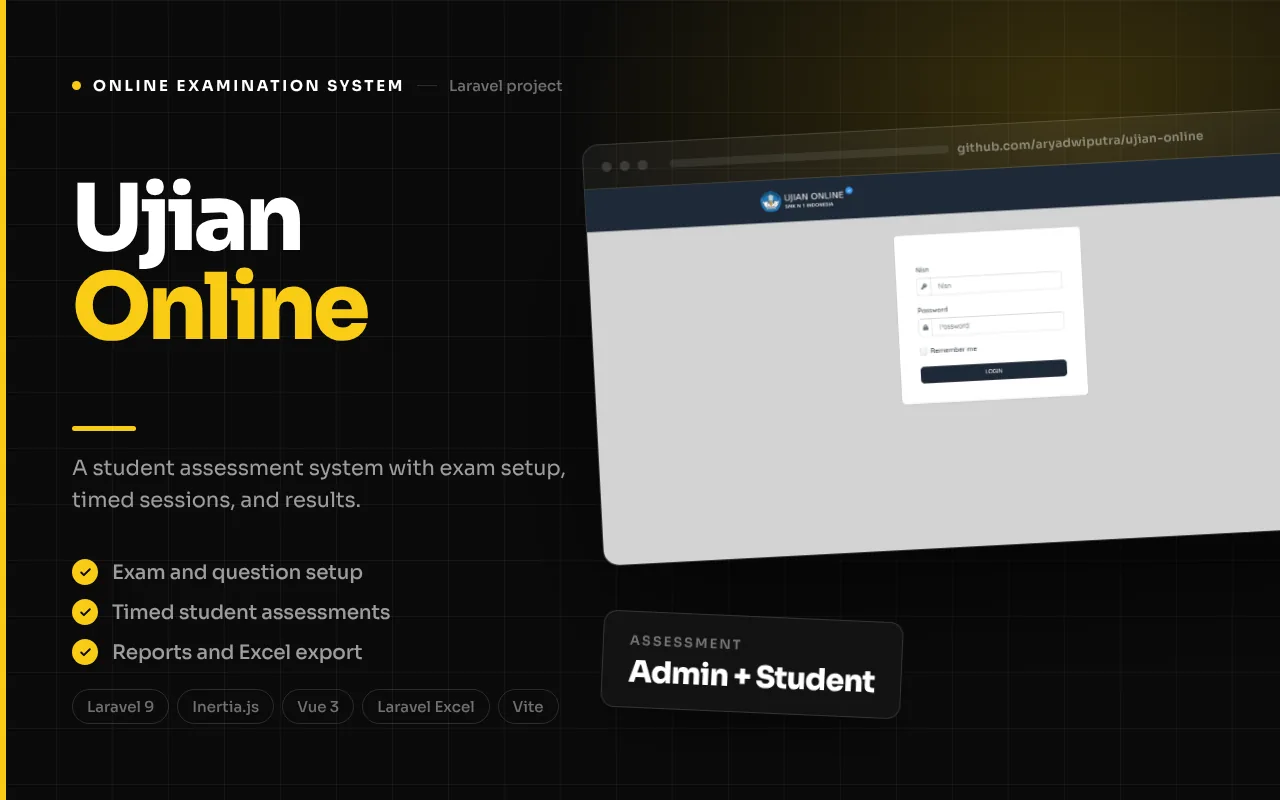
Product overview
How the product fits together
Ujian Online is an online examination system organized around two distinct roles: administrators who prepare assessment content and sessions, and students who sign in to take assigned exams. The repository’s routes, controllers, Vue/Inertia pages, and data models show an end-to-end assessment structure covering lessons, classrooms, students, exams, questions, exam sessions, answers, and grades. This project write-up follows those code-supported workflows and does not claim that the system has been deployed to a school or validated in a live examination environment.
The administrator side manages the material that makes an exam possible. Staff can maintain lessons and classrooms, register or import students, create exams and questions, assign students to scheduled sessions, and export filtered report data. The student side provides a separate login, an exam dashboard, a confirmation screen, the timed exam interface, question navigation, answer saving, submission, and a result view. These two halves meet through exam assignments and per-student grade records.
The source repository did not include a set of labeled product screenshots, so the portfolio evidence below was captured directly from the running app. The student dashboard, exam confirmation, and active question screen were captured after authenticating a seeded student. The administrator dashboard, exam list, and score report were also captured after administrator sign-in. Each attached image is a real screen from the running app; no repository illustration is presented as UI evidence. The stack is Laravel 9, Inertia, Vue 3, Fortify, Sanctum, Laravel Excel, and Vite. Source review also found security-sensitive implementation details around plaintext student passwords and ownership checks, so this description distinguishes documented screens and routes from claims about security readiness.
The workflow
1
Prepare lessons, classrooms, and student records
Administrators use dedicated screens to maintain lessons, classroom groups, and student accounts. Student records can be imported from spreadsheet formats, which helps seed an exam cohort without entering every row individually. The session enrollment workflow later filters candidates to the classroom associated with the exam.
2
Build exams and questions
An administrator creates an exam and associates it with a lesson and classroom, sets its duration and randomization options, and manages its questions. Questions have multiple answer options and a correct-answer field. The code includes spreadsheet question import, so existing question banks can be brought into the system through the supported import workflow.
3
Schedule a session and enroll students
Exam sessions represent a scheduled sitting. Administrators create or edit a session and enroll students from its associated classroom, with routes to add or remove enrollments. An exam group links exam, session, and student so the student dashboard can present assigned assessments.
4
Student signs in and reviews assigned exams
Students authenticate using their NISN and password through a separate student guard. The dashboard loads the exams assigned to that student and creates an initial grade/duration record when needed. Selecting an exam leads to a confirmation page scoped to the current student before the exam begins.
5
Take a timed assessment
Starting an exam records its start time, prepares answer records, and may randomize question order or answer choices depending on the exam settings. The interface presents one question at a time with choices, progress, navigation, remaining duration, and an end-exam control. Answer selection and duration updates are persisted through student exam actions.
6
Submit and review results
The exam end action calculates the score from correct answers relative to the number of questions, records duration and end time, and renders the result. Administrators can filter a report and export it to Excel. The source currently selects the first matching exam session for reporting, so multi-session reporting behavior should be improved before relying on it for a complete cohort view.
Features, with interface evidence
The following screenshots are from the project’s documented interface areas. They illustrate the related modules; integrations and optional workflows may require configuration.
Feature 1
Administrator workspace for academic setup
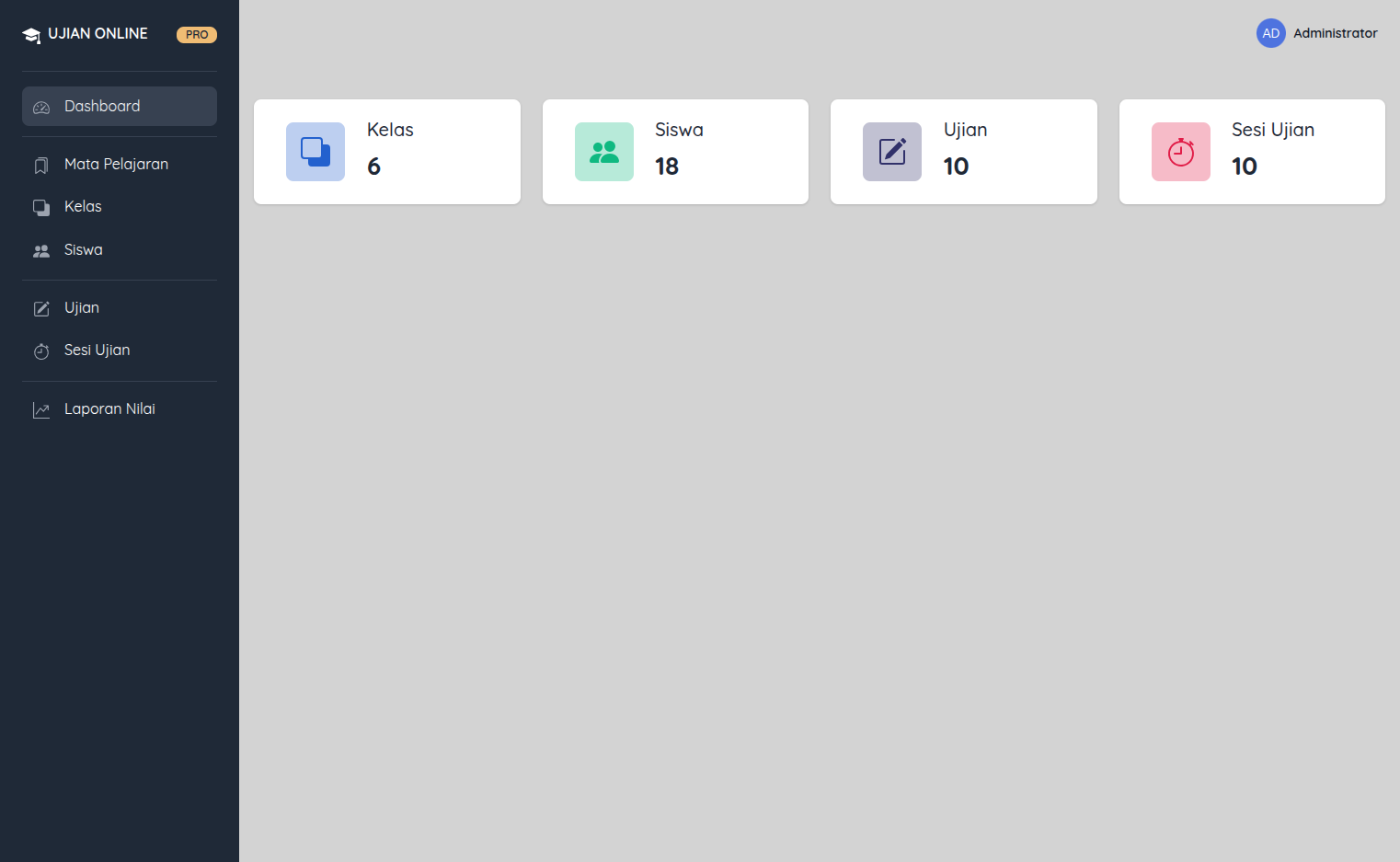
The administration routes provide screens for the dashboard, lessons, classrooms, students, exams, exam questions, sessions, enrollment, and reports. The dashboard controller calculates counts for students, exams, sessions, and classrooms. These entities establish the structure around an assessment: curriculum context, student grouping, question content, and a scheduled session are separate records that administrators can manage.
Student administration includes search/list views, create/edit/delete behavior, and spreadsheet imports in CSV, XLS, and XLSX formats. Exam session enrollment filters candidate students to the exam’s classroom, connecting who may take an assessment to the group configured by administrators. The interface and route structure support a role-separated administration workflow, but production role setup and operational use were not independently tested.
- Manage lessons, classrooms, and students.
- Import student records from CSV/XLS/XLSX.
- Create exam sessions and enroll students from the associated classroom.
Feature 2
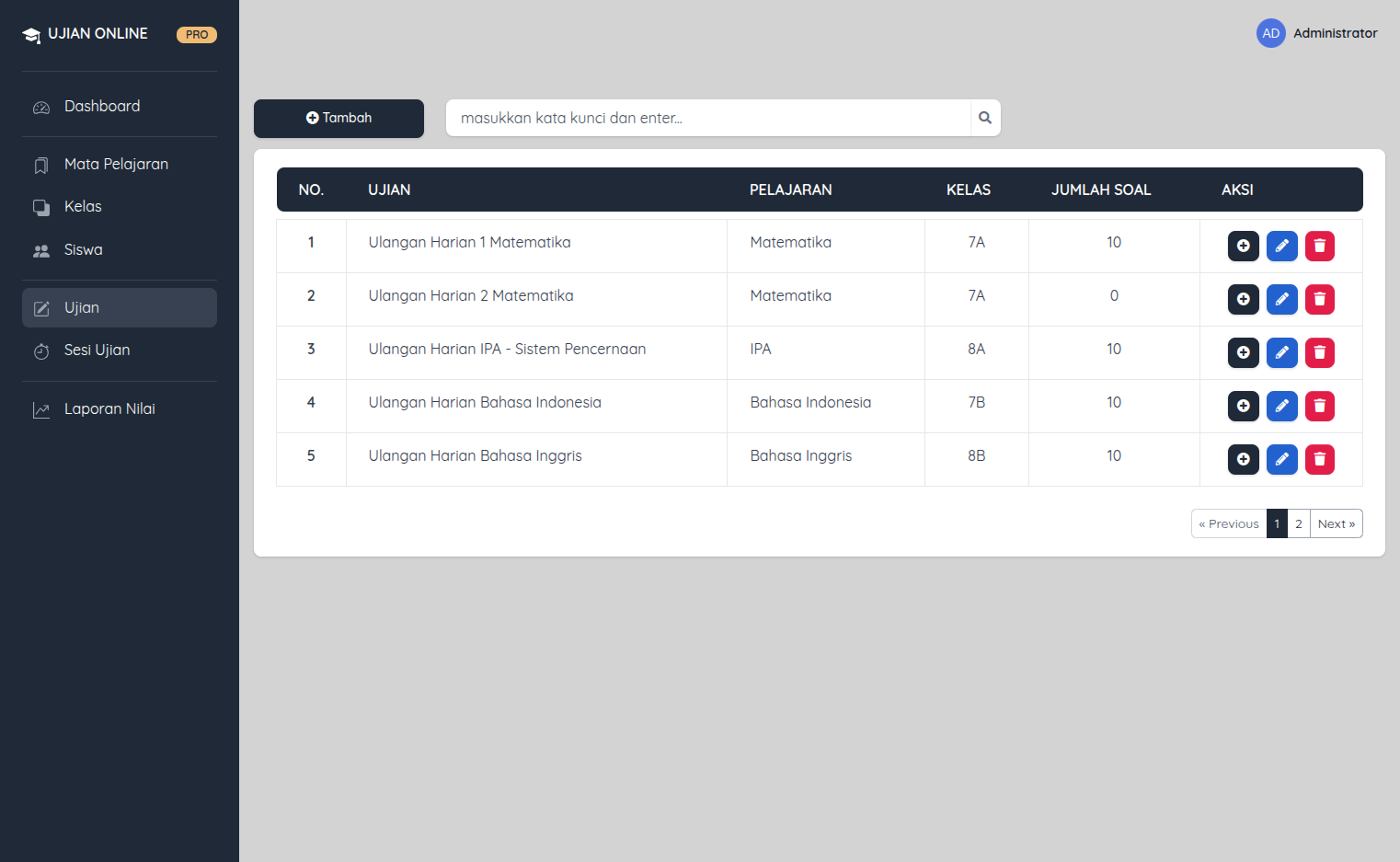
Exam authoring and question-bank import
The exam controller supports exam CRUD and nested question management. An exam stores lesson and classroom relationships, duration, question/choice randomization flags, and whether answers should be shown. A question record includes the prompt, five answer options, and the correct answer. These structures support a multiple-choice exam model, with settings that can influence how a student sees the assessment.
The source also includes question imports for CSV, XLS, and XLSX. This is useful for moving existing question content into an exam without recreating every prompt through a form. The code contains pagination for exam lists and question lists, which limits the number of rows delivered to each page. The case study describes these implementation elements; it does not claim validation of imported content quality or exam correctness in a running environment.
- Exam duration and randomization settings.
- Question records with multiple choices and correct-answer data.
- Spreadsheet import for question sets and paginated management lists.
Feature 3
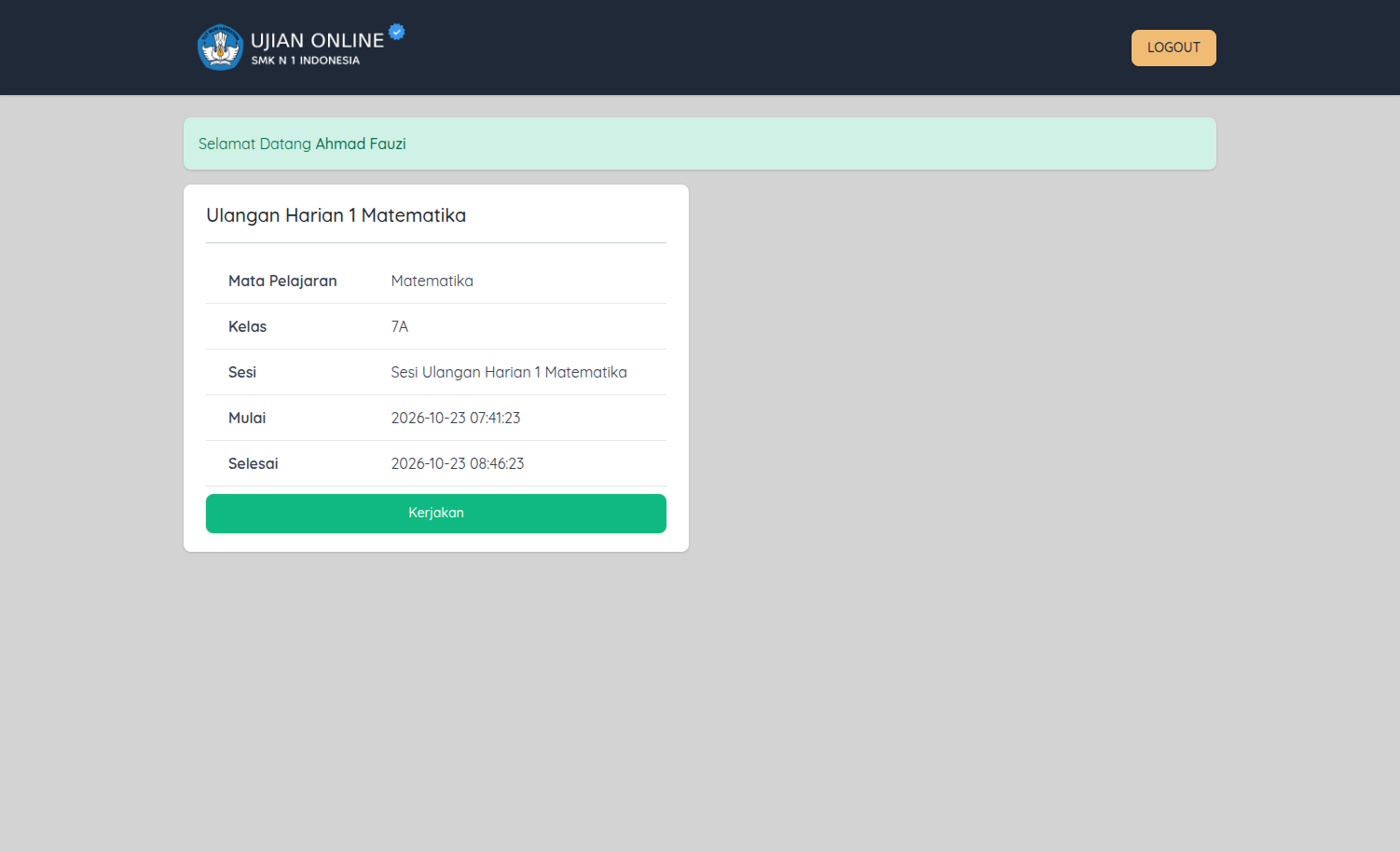
Student login and assigned-exam dashboard
The student area uses a distinct login page and student authentication guard rather than reusing the administrator session. Students authenticate with an exact NISN and password lookup. Middleware blocks student routes when that session is absent, redirecting to the login entry point. After signing in, the dashboard lists the exam groups assigned to the student and can create an initial grade and duration record if one does not yet exist.
A confirmation screen checks that the exam is associated with the current student before the student starts. This makes the assignment, not just knowledge of an exam identifier, the intended entry to an assessment. However, source review found plaintext password comparisons and storage in the student login/create/update paths. This is a serious security limitation, so the portfolio does not present this implementation as secure or recommend the current password handling for production.
- Separate student authentication and route middleware.
- Dashboard lists the student’s assigned exam groups.
- Exam confirmation lookup is scoped to the signed-in student.
Feature 4
Timed exam, question navigation, and answer persistence
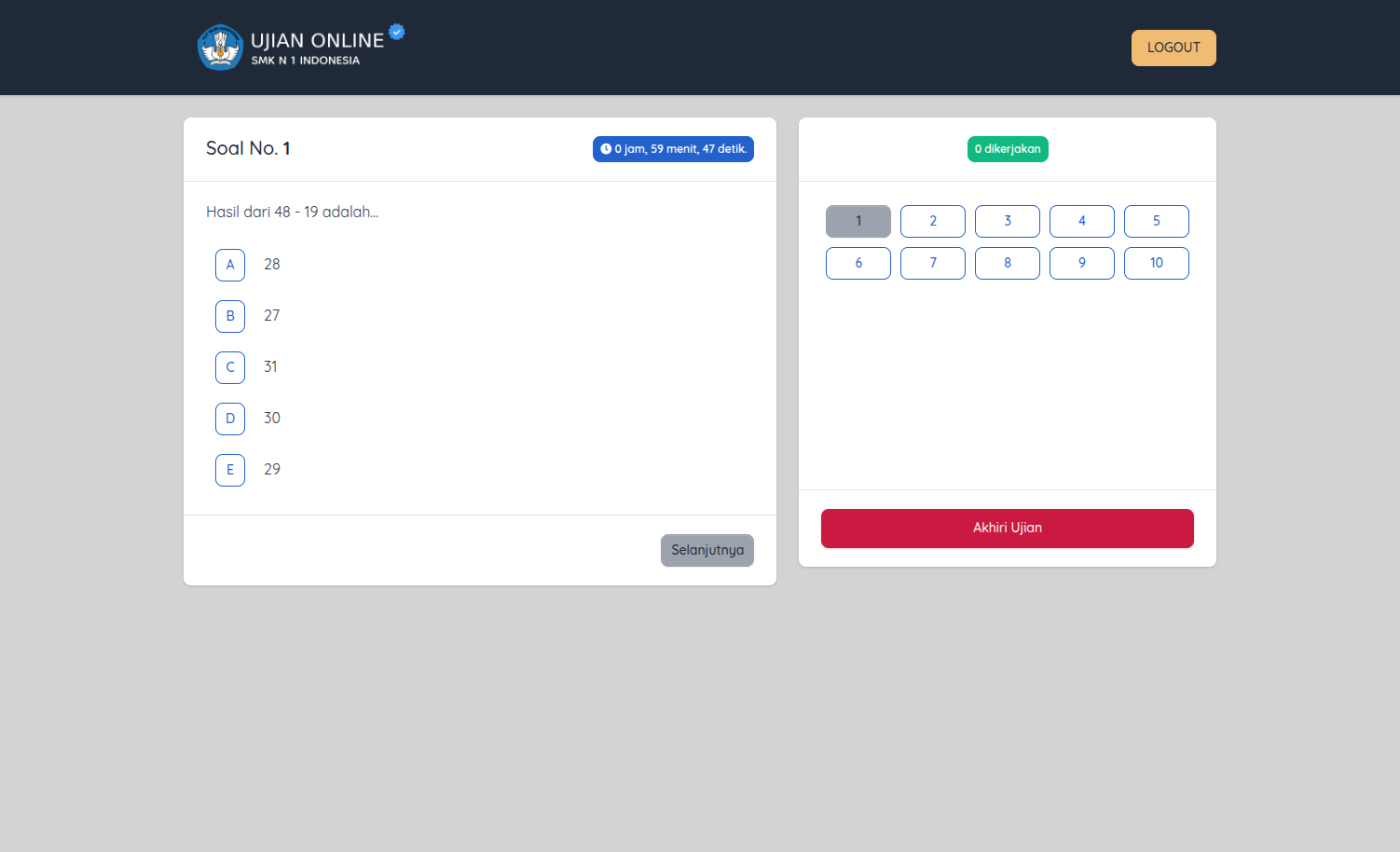
The student exam page presents a current question, answer choices, a countdown, question navigation, progress information, and a control to end the assessment. On exam start, the controller records a start time and prepares answer records. Exam-level settings may randomize question order and answer choices, so the expected order can be individualized for a student. The timer is surfaced in the Vue page, and duration updates are sent to the server as part of the exam workflow.
When a student selects an answer, the controller saves the selected choice and whether it matches the stored correct answer. The result flow later uses those records to calculate the score. Source inspection found that duration and answer/end handlers deserve ownership and authorization review because some methods load grade records or accept exam identifiers without a sufficiently clear ownership guard in that specific action. This case study documents the current workflow and flags that boundary as work to review, rather than asserting it is secure against manipulation.
- One-question exam interface with navigation and progress.
- Countdown and stored duration tracking.
- Answer choices and correctness recorded per student and exam.
Feature 5
Scoring, results, and administration reports
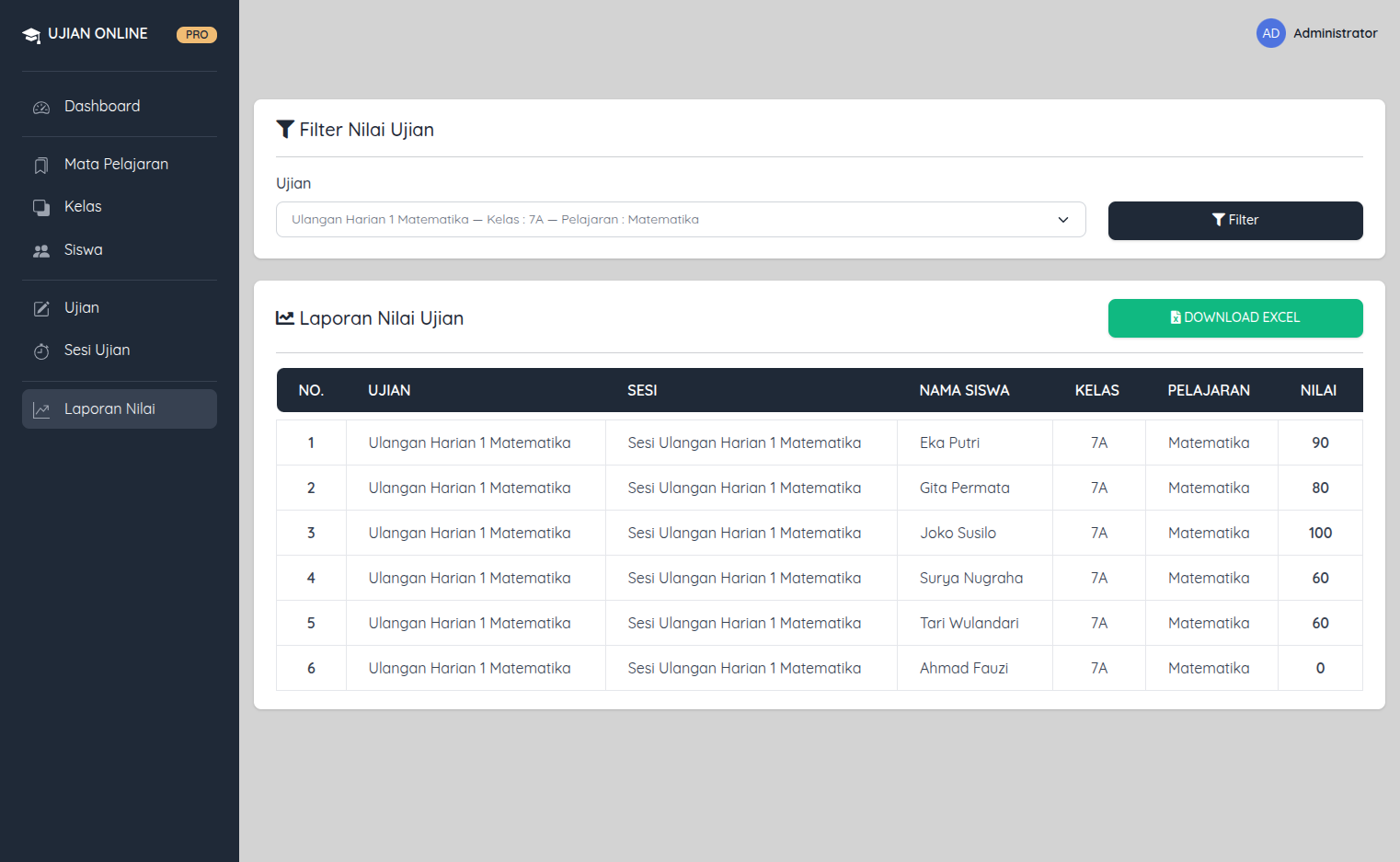
When an exam ends, the controller calculates a score as the number of correct answers divided by the question count and multiplied by one hundred. It records end time and duration, then renders a student result page. Administrators can filter a report by exam and export data to Excel, providing a path from per-student outcomes to a spreadsheet for further review.
There is an important reporting limitation in the inspected implementation: both the report filter and export select the first session found for the chosen exam, rather than explicitly aggregating all sessions. The student dashboard’s initial grade lookup also filters by exam and student but not session, which can make multi-session records ambiguous. Those details matter in real assessment operations, where the session is part of the context for interpreting a result.
- Score calculated from recorded correct answers.
- Result view includes exam outcome and timing data.
- Admin report filtering and Excel export are present, with multi-session scope to improve.
Feature 6
Technology and assessment data model
The manifests identify PHP 8.0.2+, Laravel 9, Inertia Laravel, Vue 3, Fortify, Sanctum, Laravel Excel, and Vite. The application separates student-facing pages from the administrator area while sharing Laravel routes and persistence. Models represent exams, questions, exam groups, answers, grades, students, classrooms, and lessons. Migrations establish the relationships used to assign an exam to a student and store that student’s answers and score.
This structure is a practical foundation for an online exam workflow, but the source should not be confused with an independently audited assessment platform. The repository README is generic Laravel boilerplate, no public product URL was confirmed, and tests were not run during this source review. Password handling and student ownership boundaries require remediation and security testing before any high-stakes use. This portfolio write-up describes the code as found, not a certification of exam integrity.
- Laravel 9 backend with Inertia and Vue 3 pages.
- Laravel Excel for spreadsheet import/export workflows.
- Exam, question, enrollment, answer, and grade records represented in models and migrations.
Ujian Online connects administration and student execution through an assignment-centered model. Staff prepare exam content, organize it into a session, and enroll the relevant classroom; students see their assigned exams, complete timed questions, submit answers, and receive a calculated result. Spreadsheet workflows support the movement of student and question data, while reports provide a way to export outcomes for review.
The repository uses Laravel 9, Inertia, Vue 3, Fortify, Sanctum, Laravel Excel, and Vite. This page uses authenticated runtime captures for the student dashboard, exam confirmation, and active question interface, along with administrator dashboard, exam list, and score-report screens. The project-specific README and public demo were not found. Source review identified plaintext student password handling and authorization/reporting concerns that must be addressed before high-stakes deployment. Those caveats are part of an honest project description, not an endorsement of the current security posture.